8mm Resolution: More is more?

The subject of resolution has been debated previously, and even commercial scanners manufacturers have conceded -by making higher resolution scanners- that there is more to 8mm film.

I have been exploring the topic and thought this visual comparison would be helpful when making a choice.

The setup

Raspberry Pi 4 HQ sensor with a Schneider-Kreuznach 50mm f2.4 set at f5.6, using an integrating sphere as light source. Using Tingopix sensel (raw sensor) capture software. The software allows for capturing each color channel with its own light intensity.

The film subject is a 1959 Kodachrome 8mm (Regular 8).
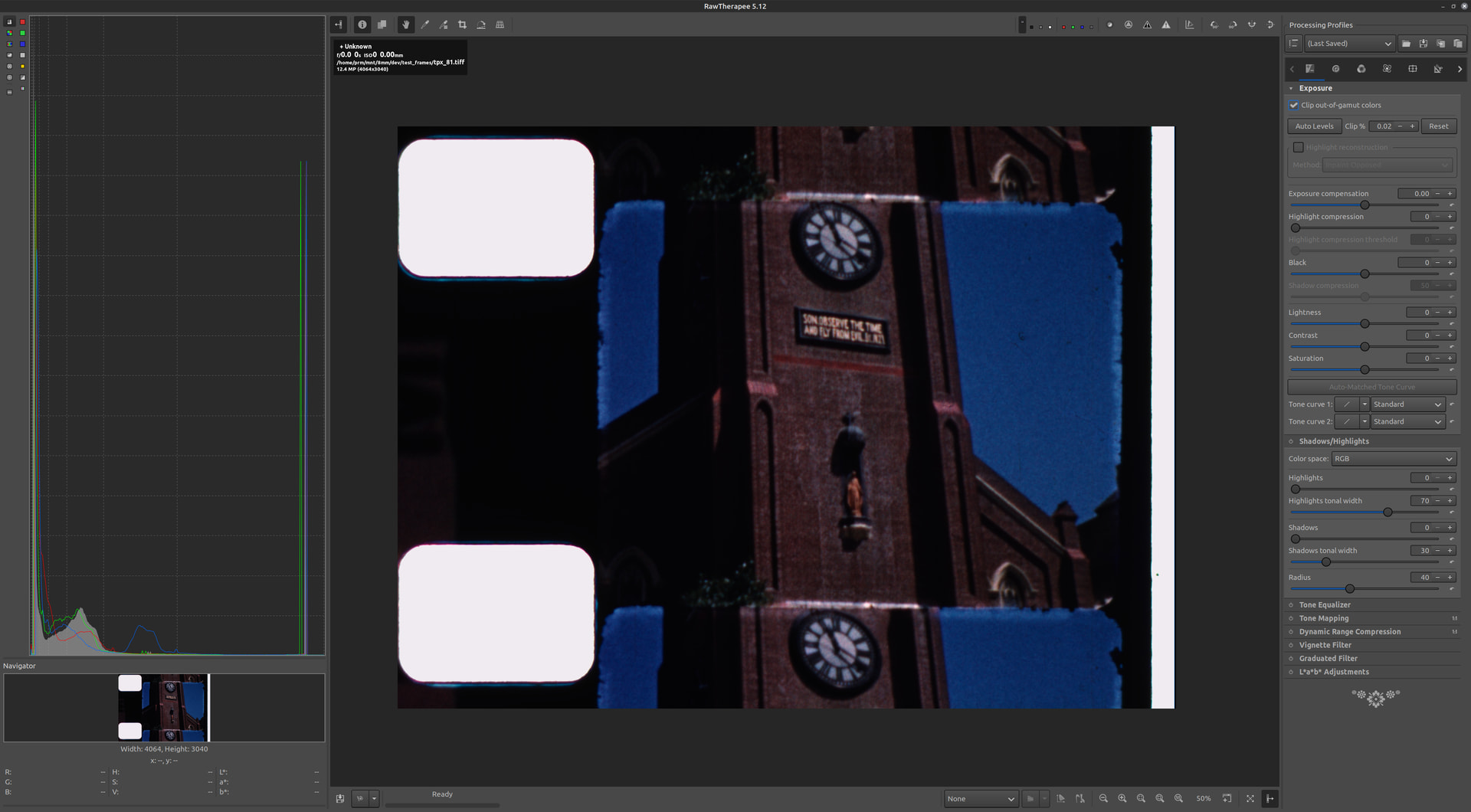
The same full-sensor raw-capture is saved either as vng debayered (full sensor resolution) or binned (half/vertical half/horizontal resolution = quarter spatial resolution). No sharpness applied. File format is TIFF 16bit uncompressed.

Content is viewed with Rawtherapee, which does not interpolate pixels for presentation.

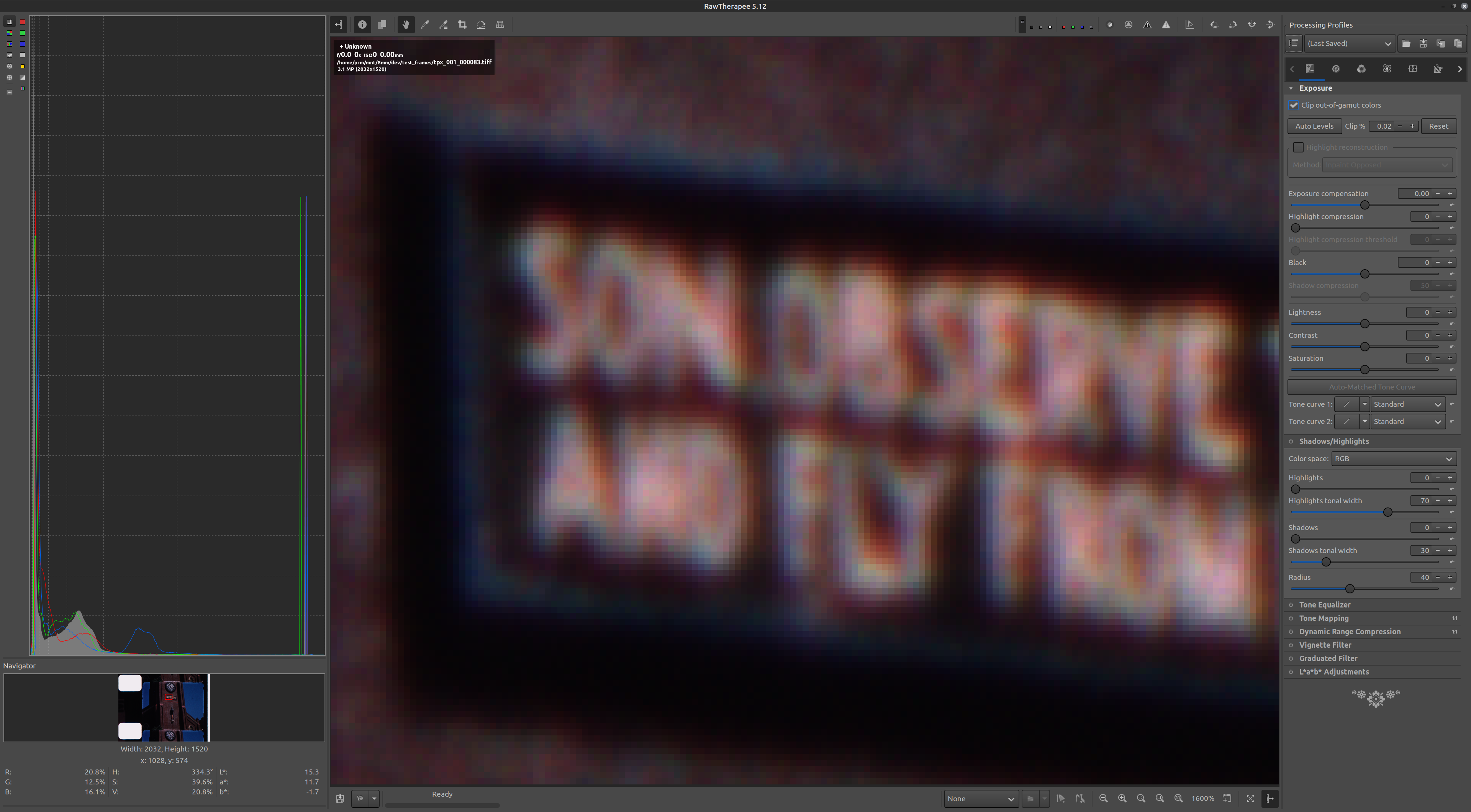
Single Capture per Channel (12 bit color depth)

True color pixels (binned) 12-bit resulting in quarter-sensor spatial resolution. (2032x1520@12bit)
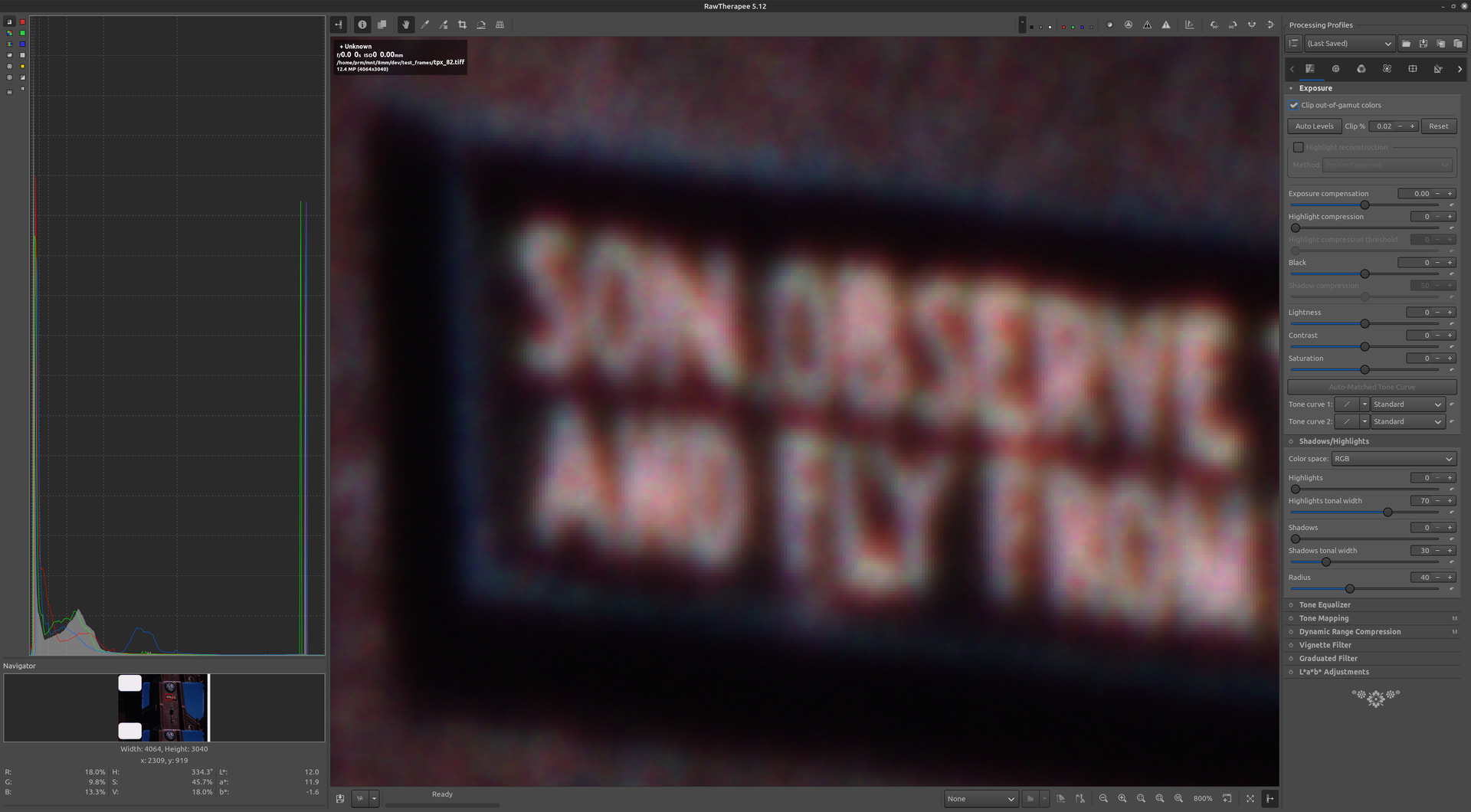
Compared to 12-bit full resolution vng debayering. (4064x3040@12bit)
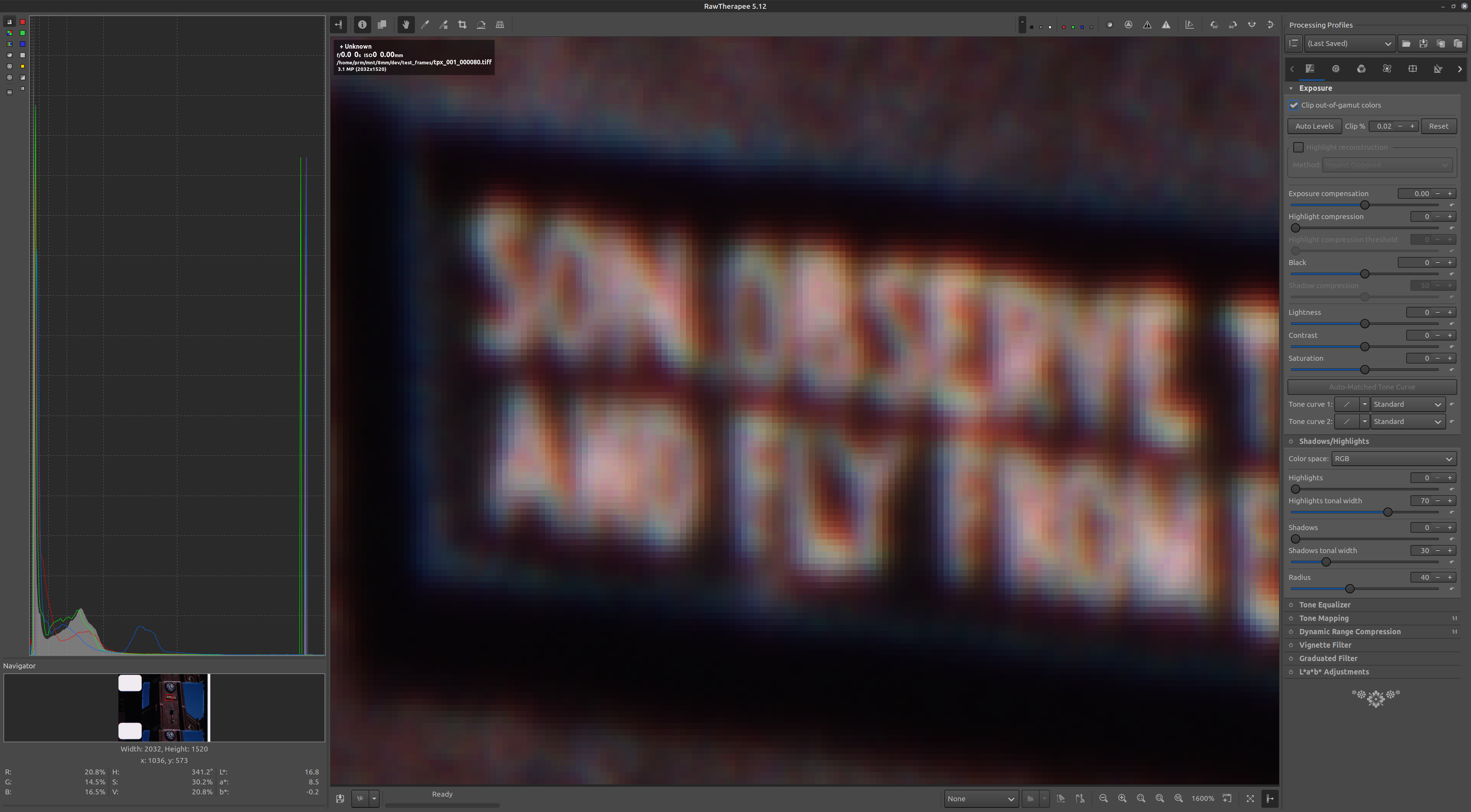
16 Captures per Channel (16 bit color depth)

True color pixels (binned) 16-bit resulting in quarter-sensor spatial resolution. (2032x1520@16bit)
Compared to 16-bit full resolution vng debayering. (4064x3040@16bit)
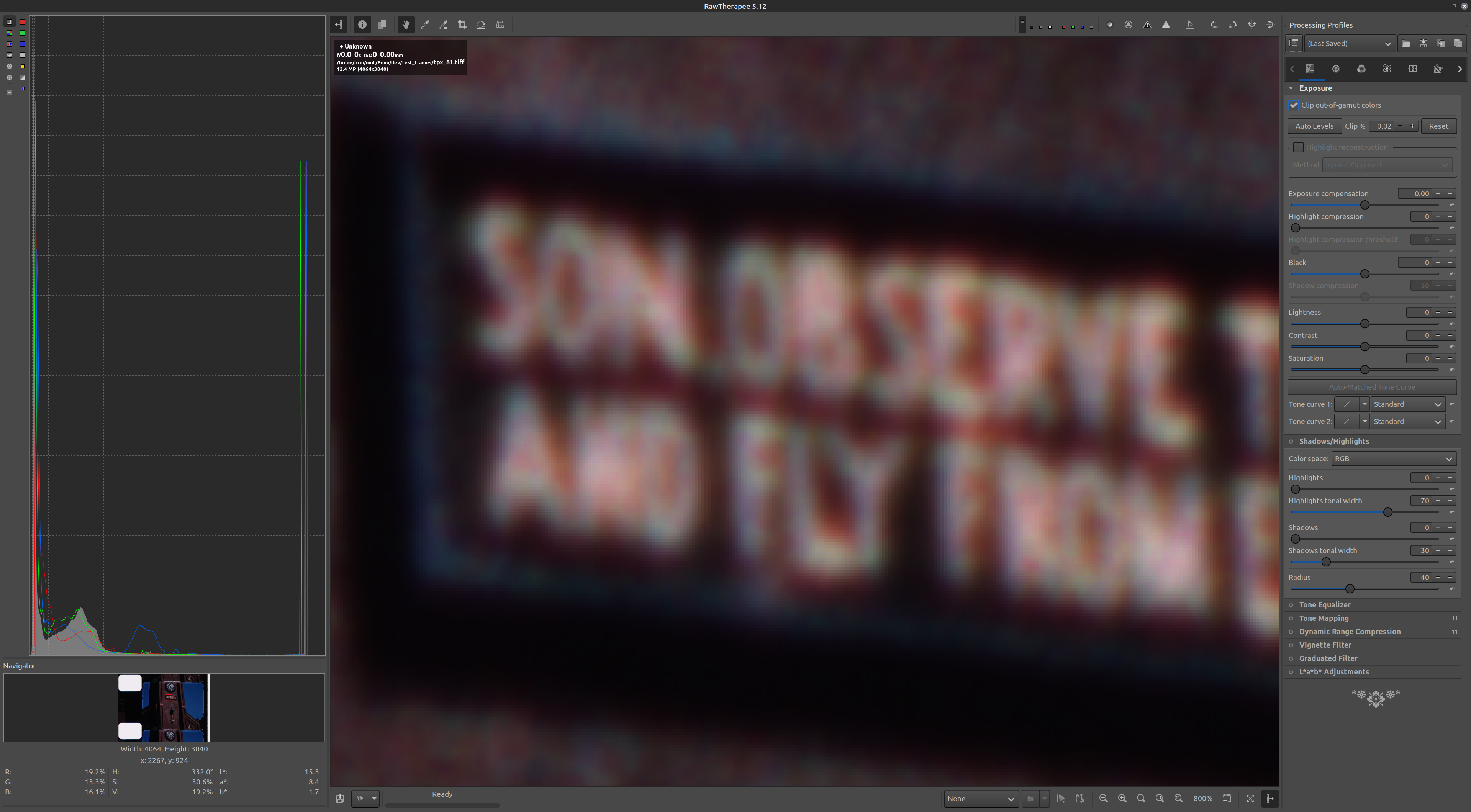
Summary

When capturing 16 times per channel, the noise is averaged resulting in smoother transitions (again no sharpness was applied). The higher noise in the one-capture creates the perception than the image is sharper, but in reality, is an illusion. The higher noise is less desirable for faded film that require higher color correction gains (not the case of the subject film).
Binning at quarter-size (2032x1520) provides a good compromise of size-speed particularly when the final output is 2K resolution. However, the example shows that even the standard-8 subject film has relevant content, showing that the full sensor vng debayering would be more suitable to preserve it with an output of 4K resolution. The vng debayering is computationally expensive and was performed post-capture.

It is appropriate to note than the VNG debayering method was chosen to minimize the color artifacts, so other debayering alternatives may increase color noise (debayering artifacts).

While not true for all subject-content, from the results it looks like more is more!

PS. the message did not go unnoticed: SON OBSERVE :upside_down_face:

3 Likes

Is there any difference if captured with a better camera like basller or with any other with better dynamic range? Like a DSLR Apsc for example. I sometimes find colors in Rasperry PI HQ too saturated.

Also would it be possible to set the Rasperry PI HQ to a Log curve so gradient is even smoother not only for colors but for exposure

There is a lot to unpack in the questions.

DSLR APSC bit depth
It varies by manufacturer and model. Note that while some cameras report 14bit depth, that mode is only available with mechanical shutter, and not recommended for film scanning because of the finite life of the mechanical shutter. Practically, with electronic shutter, some provide 12bit, most 10bit. Here is a comparison.

Basler Larger Sensors
Some projects have used the ACA2500-20GC which is 5MP and uses an Onsemi Python sensor. According to the datasheet it has an On-chip 10-bit Analog-to-Digital Converter (ADC).

HQ IMX477
The sensor used by the RPi HQ is the Sony IMX477 and provides 12MP with a 12-bit ADC. The Dynamic Range of the HQ has been measured at 11 stops.

There is a difference, but in the context of film scanning, it may not be what you expect.

Sensor Size / Bit Depth
Dynamic range of an image captured directly is subject to the lighting conditions. For film scanning, the dynamic range is limited to what the film stock is capable.

To better understand, if one is capturing a scene directly with the sensor, the dynamic range of the sensor will determine what gets clipped (whites) and crushed (blacks). The bit depth provides the resolution of that range.
However, when one is capturing -for example- Kodachrome 64 and above film, these have a narrower dynamic range of about 8 f-stops. Interestingly, new Kodak Verita stocks also reference “a shorter” dynamic range.

The response is therefore to split dynamic-range and bit-depth. In general, larger sensors would provide better dynamic range. When the film stock has a larger dynamic range (non-reversal) that is an advantage. But one also wishes a sensor ADC with high bit-depth for a smoother color range. Particularly helpful when color correction is needed.

Kodak words: “shorter, but exceptionally rich, dynamic range” seem opposite, but these are not. And it illustrates well the film scanning sensor dynamic range vs bit-depth choice. One can have a richer color variations with more bit-depth, and at the same time have these in a smaller dynamic range.

When is the dynamic range a must? Color non-reversal. For example, Kodak Vision 3 shows about 14 f-stop dynamic range.

The Tingopix Work Around
If time is not an issue, a workaround with smaller sensors like the RPi HQ is to do multiple captures of the same image. With 16 captures at 12-bit depth, the result is a 16-bit depth image file. The stack is summing frames, reducing noise by √16, and also increasing the dynamic range by 2 f-stops. This workaround provides the ability to expand the dynamic range from 11 f-stops to 13 f-stops with a resulting 16-bit depth image.
A decent dynamic-range with exceptionally smooth color range.
This is a good reference on bid-depth vs dynamic range for film scanning.

Sensors are linear. There are some unique log-sensors used in particular applications, but I do not know of any being used for film scanning. The linear output file may be transformed to a file with log-curve if preferred for color correction. Tingopix provides the linear (sensel raw) output with or without Color Correction Matrix (CCM). If one prefers a log curve, it can be done post-scanning.

You may be using the default tunning file/CCM. Rolf @cpixip did invaluable work for everyone by creating a tunning file that has since being incorporated in the library.

2 Likes