ClearScan – AviSynth – color correction software

Yes, no problem for MP

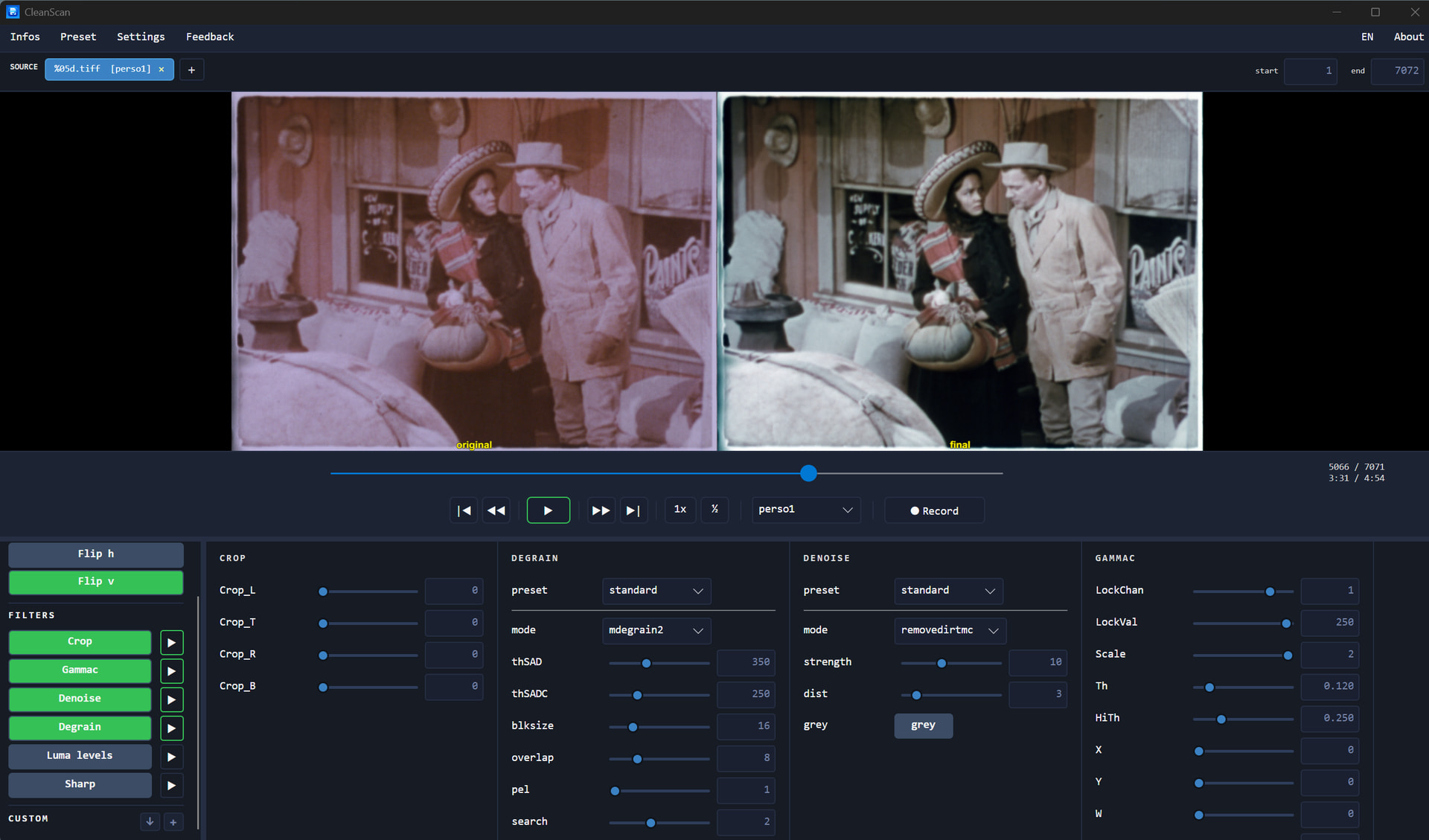
CleanScan Beta 5.00 is now available!

In this new version:

  • A guided tour helps you quickly discover the application’s core features.

  • A highly anticipated feature is now available: the ability to integrate your own filters.

You’ll be surprised by how easy it is to insert and manage your own code, then access all the commands you need within the application to fine-tune your settings. Give it a try — you’re going to love it!

Don’t forget the form that allows you to report bugs to us. And if you don’t find any, please let us know that too: it is just as important for us, because it helps us assess the reliability of the application.
https://chk.me/t9T5YQm

3 Likes

ClearScan has changed its name to AvyScan Lab for legal reasons. We’ve also added tons of improvements, and the software is now available in both free and paid versions!

Restore your digitized film reels (8 mm, Super 8, 9.5 mm, 16 mm): grain, dust, colors, splices — no coding required.

Free trial, no time limit 👉 http://www.avyscan.com

2 Likes

Great work and very interesting.

I’ve used in the past AviSynth extensively, and based on my experience, I have the following comments, which I hope will be constructive:

A little terminology:
Don’t confuse Denoise and RemoveDirt, which are two completely different things. RemoveDirt is for removing dust and, to a lesser extent, scratches. Denoise and Degrain are the same thing, originally based on MVTools.
For me, the best script for this, by far, is TemporalDegrain.

As for the other scripts—white balance, levels, sharpening—it’s always difficult to choose the most suitable one; we could discuss it endlessly.

Stabilization is a special case because it can be done with AviSynth, with a VirtualDub plugin, or with an ffmpeg plugin! This is generally the first step in the chain.
In my workflow, I used the VirtualDub stabilization script, but more recently I’ve been using the ffmpeg plugin with very good results.

Finally, you need to choose how to run the Avisynth scripts: either inside VirtualDub or inside ffmpeg.

Running in VirtualDub allows for a live preview of the script’s parameter changes.
However, be aware that VirtualDub works in RGB, so pay attention to the RGB/YUV conversions, otherwise you’ll get color shifts, especially in the red range.

The final encoding is a different story:
VirtualDub doesn’t encode itself but uses the codecs installed on the machine.
On the other hand, an updated ffmpeg directly incorporates the latest codecs.
For example, with an updated ffmpeg, you can encode with the latest versions of modern codecs like AV1.
For me, this is a better option.

Finally, some steps don’t need to be repeated:

  • Initial stabilization
  • Denoise/Degraining, as this is the most expensive step.
    In my workflow, I save intermediate results with a lossless codec.
    This way, I can adjust image processing parameters and encodings in the final stages without having to redo stabilization and denoising.

Thank you for the feedback, but while reading your message, I get the vague impression that you looked at the photo without testing the program. Am I mistaken?