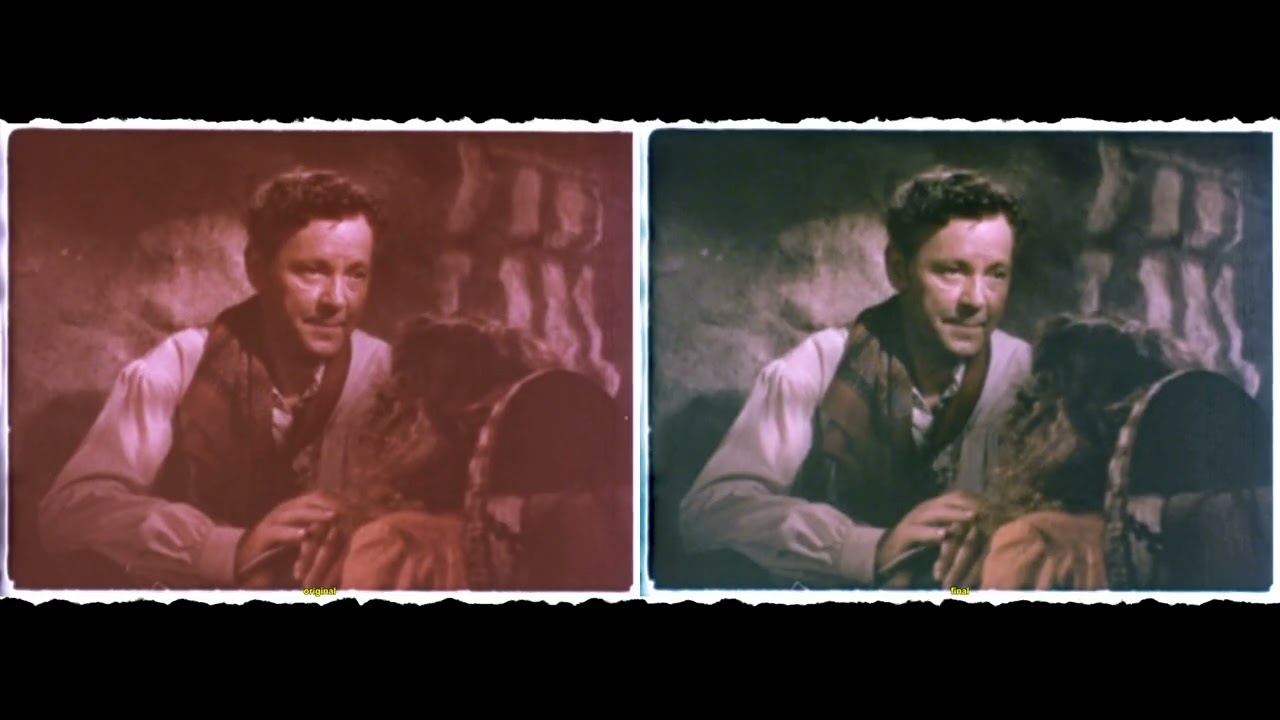
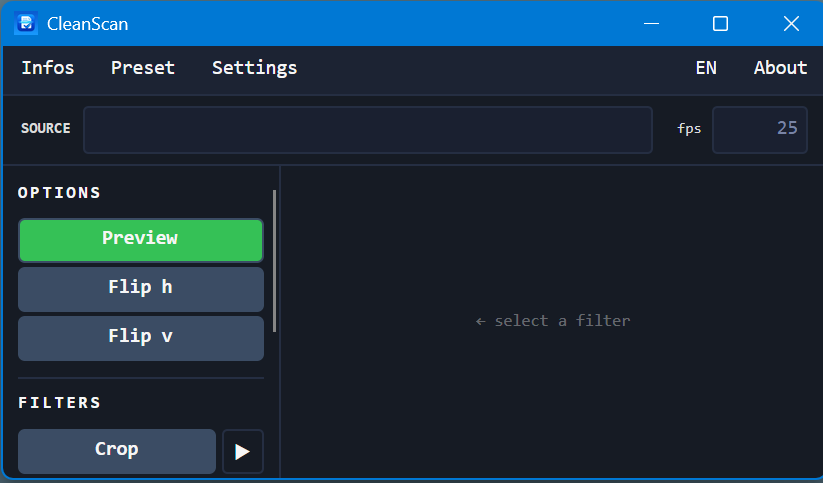
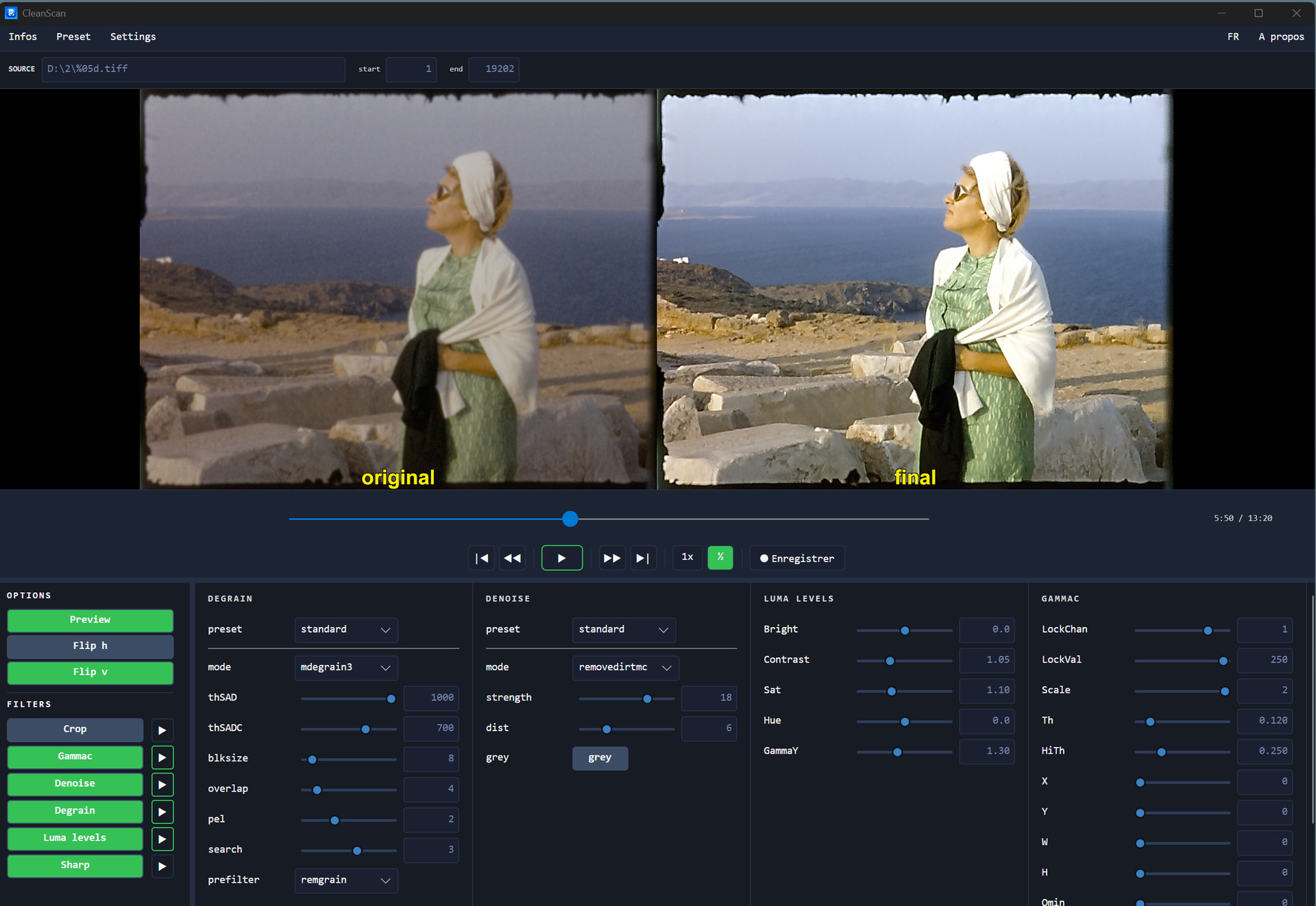
I’m sharing a small piece of software I tinkered with over the past few days after the difficulties a user ran into on this forum. I figured that getting acceptable, consistent color settings across an entire film is really a job in which each of us has lost a few hairs.
This software uses AviSynth and a color-correction filter, GamMac, along with a few other basic filters. Let it be said that I’m not a specialist in writing the scripts needed to make these filters work properly, and some of you certainly do it much better—your suggestions for improvement will be welcome.
This tool has the special feature of offering a script/VirtualDub interface that makes it easier to use.
The application folder contains all the required DLLs as well as the latest version of VirtualDub. The user’s only task will be to install AviSynth+ on their workstation (very simple—default options only). AviSynth is detected automatically, and if it isn’t found on your computer, you’ll be given a link to download it.
The color correction isn’t perfect, but it already prepares the footage very nicely for grading in DaVinci Resolve.
All DLLs are x64, which allows good processing speed and no limitation on image resolution (you still need to be reasonable, but it’s OK for 4K). There’s no installation required. Just unzip it to the folder of your choice and run CleanScan.exe.
Software:
edit : Beta version 1.1 – bug fixes:
The application wouldn’t open if AviSynth wasn’t detected.
Warning messages are now displayed in the OS language from installation.
Hi Roland,
I’ve now finished my restorations, but I’ve used AviSynth extensively. You can always find interesting filters, for example, GamMac for severe color cast or other noise reduction filters. However, it must be said that choosing, implementing, and configuring AviSynth filters isn’t particularly easy! To add to what Roland said about VirtualDub, I think it’s more interesting to use ffmpeg, which can perfectly open an AviSynth script, allowing freedom in choosing the input and output codec, as well as other processing options. Then the processing can be automated with batch scripts. In my case, I use a series of steps: stabilization, noise reduction, color and level adjustment, and final encoding (HEVC, AV1, etc.), with lossless encoding between each step. Now, perhaps it’s easier and more modern with DaVinci Resolve?
The goal is indeed to allow a user to use these filters without having to absorb the rather tedious knowledge of AviSynth, hunt down hard-to-find DLLs, and struggle with finicky script writing. Here, only the installation of AviSynth+ is required.
I’ve always wondered how many users give up along the way.
I use VirtualDub as the player because it’s stable, fast, and it already has tools for compiling. That makes the application lighter.
But this is only a first draft—there’s still a lot of work to do…
Using multiple executables within the same application is not an unnecessary complication. If you look at the DaVinci Resolve application, for example, you’ll see that it shares 5 .exe files. Many applications do this—it’s a common practice. In our case, VirtualDub is portable and doesn’t require installation. You just need to include it with the solution.
In the very simple example you gave, a lot of things are missing that would have to be programmed: displaying the preview window, the code to manage the preview buttons (play, rewind, stop, etc.), programming the “slider” to move through the video, handling the encoding to create an output file… and I’m forgetting many more.
In this case, it’s exactly what VirtualDub already does very well on its own, reliably and quickly. Why rewrite what already exists?
Also, having tested ffmpeg, there’s one function I didn’t find (but maybe you have a solution) in the workflow that exists in VirtualDub: script refreshing. Once the original images or the video file is loaded, you don’t close VirtualDub anymore. Every time the user changes a parameter, you simply refresh the display. It’s faster and visually more comfortable than closing and reopening a window.
But if you have a concrete example of software you’ve programmed, I’d be very happy to look at how you approached it. I don’t claim to know everything or to always adopt only good solutions.
@PM490
The executables are indeed VirtualDub, FFMPEG, or others, but reading an AVS script will be handled by the Avisynth DLLs within the executable’s process.
The question is whether we need a GUI like with VirtualDub or not like with FFMPEG. These are two different things, each with its own purpose.
A GUI is useful for testing, seeing the effect of Avisynth settings, displaying two comparison windows, etc …
But then it involves a lot of time spent in preferences, menus, etc., and repeating this process every time when there are dozens of movies!
My simple example with ffmpeg is complete because no GUI functionality is required.
It’s simply a matter of running a pre-existing Avisynth script; the output encoding is done by FFmpeg according to the chosen codec.
So, I do use VirtualDub to develop the Avisynth scripts, but then batch-running the script on all my movies is very convenient. I start it in the evening and come back the next day or even later!
Furthermore, FFmpeg is very feature-rich: creating the movie from the images, running Avisynth scripts, various encodings, etc.
In my case, all the steps from the images to the final encoding are handled by FFmpeg/Avisynth. Now, perhaps some steps could be better handled with tools like DaVinci Resolve?
The presence of a graphical interface is, for me, inseparable from a video program. And whether that interface is visible or hidden doesn’t change anything. Whether it exists or not, it won’t really make things worse in terms of processing time or stability—especially since you have to rely on VirtualDub anyway for your script settings.
In this small piece of software (which is only at beta 1), the preset function already makes it possible to apply the same settings to as many clips as you want, without having to dive into the filter parameters every time. Batch processing of video files isn’t very hard to implement in my application; it will be done later.
Still in my opinion, VirtualDub is far from being outdated when it comes to final encoding of a file—whether it’s a video file or an image sequence—and it can be configured either from within VirtualDub or from the application.
As a reminder, the goal is to allow any user to use filters like Gammac or RemoveDirt, which don’t yet have equivalents in DaVinci Resolve. But over the years it’s clear that AviSynth will disappear—just not right away.
You can manually add whatever filters you want to ScriptMaster.avs. This script will be duplicated as ScriptUser.avs, and your changes will be included there. However, the application does not dynamically handle the addition of controls based on the filters you add. So you won’t be able to adjust your filter settings from within CleanScan.
There will be major changes in the next version to improve the handling of the RemoveDirt, Degrain, and Sharp filters. But I’m not an Avisynth specialist, so you can always give me tips to improve the corrections.
I don’t see what you mean by a True/False switch. For each parameter?
For the sliders, the difficulty is coding the minimum and maximum values for each parameter, but I’m thinking about it.
The difficulty is providing the widest possible compatibility with the greatest number of files, since I have some files that only open with AviSource.
You can manually add whatever filters you want to ScriptMaster.avs. This script will be duplicated as ScriptUser.avs, and your changes will be included there. However, the application does not dynamically handle the addition of controls based on the filters you add. So you won’t be able to adjust your filter settings from within CleanScan.
I think there should maybe a + button in cleanscan that the user can press to add a filter, the user can then add what that filter is e.g keepgrain() and then enter the parameters
I don’t see what you mean by a True/False switch. For each parameter?
For the sliders, the difficulty is coding the minimum and maximum values for each parameter, but I’m thinking about it.
A True/False switch that when flipped translates to either a true or false in the script
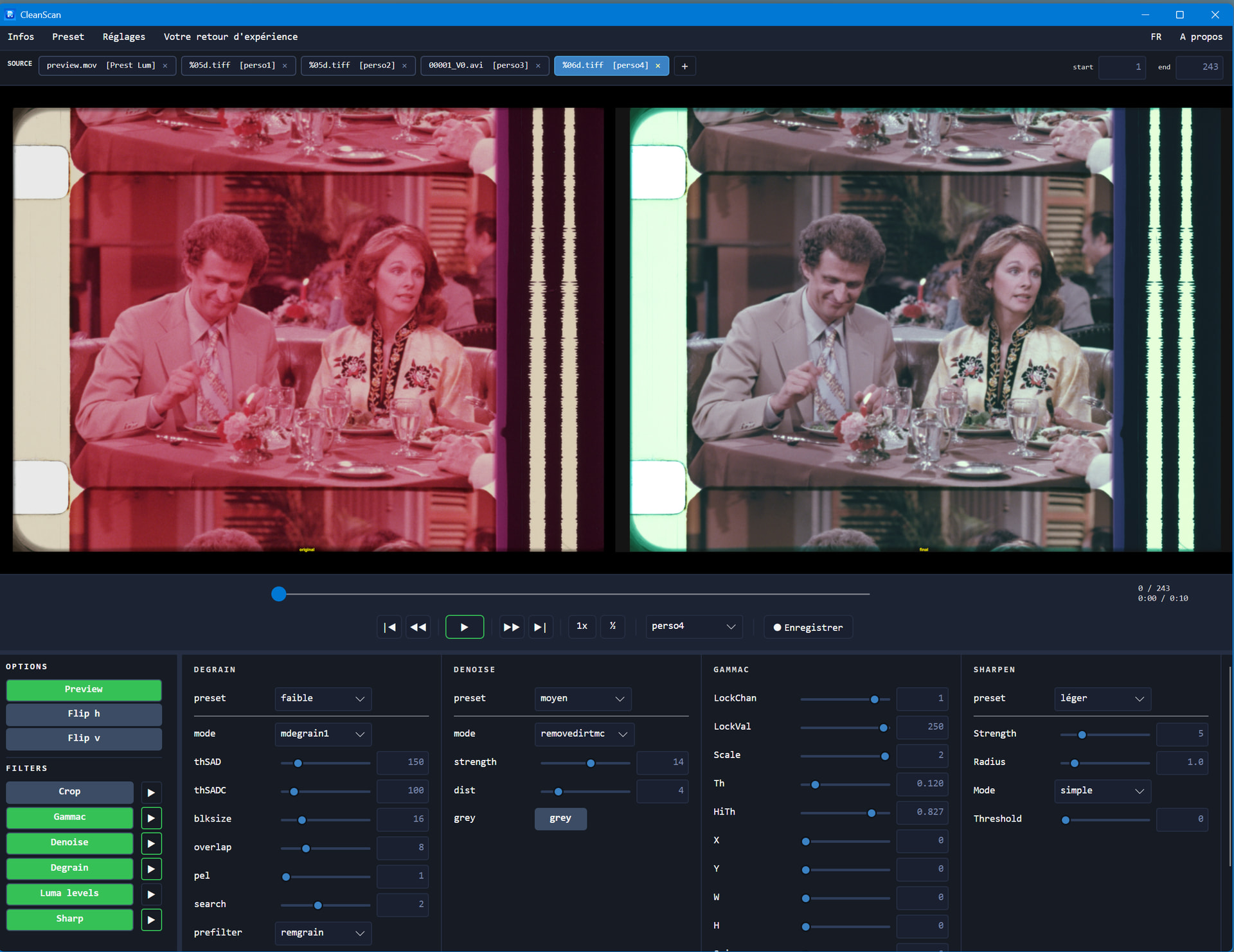
Here is yet another new version, this time featuring:
No more third-party installation required: everything is now fully integrated into the application. No more installation hassles related to Avisynth, its DLLs, or its player.
Batch processing for your clips.
Drag-and-drop loading of as many clips as you want, whether they are TIF image sequences or video clips with different characteristics, even mixed together.
A global or individual configuration (preset) can be applied to each clip or to all clips.
Each clip stores its own settings, offering complete flexibility.
The encoding settings now let you choose the resolution, chroma subsampling, bitrate, or adjust the final output quality (CRF).
Encoding can be performed either in batch mode or individually.
All settings and loaded clips are saved so they can be restored when the application is restarted.
The executable no longer triggers false positives in malware detection.
A user manual in PDF format, available in 4 languages, describes the application in detail.
A built-in form lets you report bugs, difficulties encountered, or requested improvements.
If you drip-feed me bits of information, it will take forever before our exchanges become genuinely constructive. I’ve asked you several questions, and you’re only giving a partial answer to one of them