Well, picking up the topic of how to get libcamera to push all colors recorded by the HQ sensor into a 8-bit per channel image - without clipping. The general idea sketched above is kind of valid, but requires more work than I initially thought/remembered.
Let’s try to clarify the approach I think might work. Normally, libcamera gets the information about how to transform the whitebalanced camera RGB values into a valid color space by a set of transformation matrices contained in the tuning file. First, based on the red and blue color gains, a color temperature is evaluated, than two ccm-Matrices with color temps close by are used to interpolate a matrix for the current color temperature estimate. In case of the example image used here,
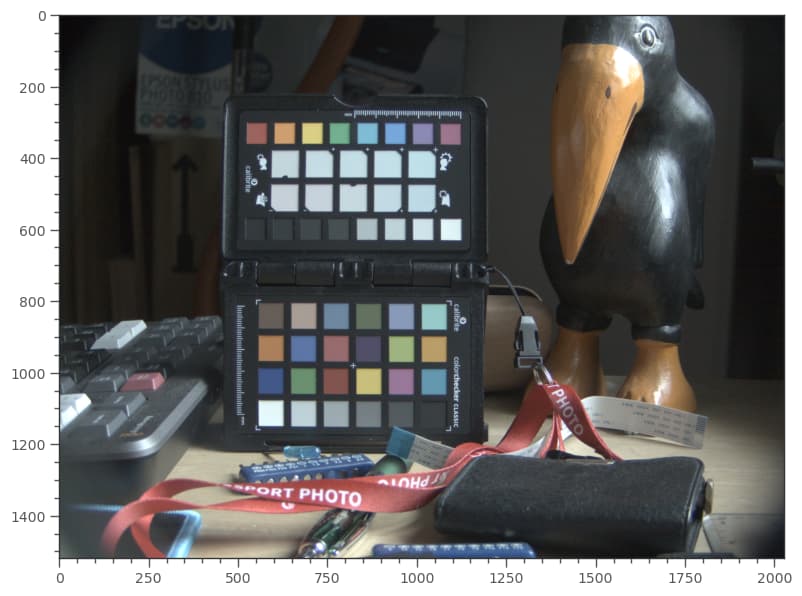
the relevant data in the tuning file should be these two matrices:
{
    "ct": 6100,
    "ccm": [
        2.07614502865529,
        -1.088477232362022,
        0.012332203706731894,
        -0.15418897211374789,
        1.6342455711780935,
        -0.4800565990643456,
        0.0239434491549935,
        -0.5149943280271241,
        1.4910508788721305
    ]
},
{
    "ct": 6600,
    "ccm": [
        2.1036466281367636,
        -1.1141823990079103,
        0.01053577087114708,
        -0.1435470445623364,
        1.6388235916780796,
        -0.49527654711574317,
        0.015303751680993905,
        -0.4877029399422509,
        1.472399188261257
    ]
},
The compromise color matrix (ccm) which is actually used is computed via interpolation out of this data. A new matrix is computed (I have to look this part up again, forgot it somehow) which is used to map from the whitebalanced camera RGB space into, say rec709. This matrix is in fact also stored in the .dng-file, as Color Matrix 1:
Color Matrix 1                  : 0.483  -0.0976  -0.0379
                                 -0.3158  1.0853   0.1973
                                  0.0149  0.1226   0.4623
This matrix ensures that most color patches the camera saw are mapped correctly in a way very similar to how our human visual system would have perceived the scene. The issue we are discussing here is that occationally, colors end up way outside of the destination color space. One can see this here in this diagram for our test image:
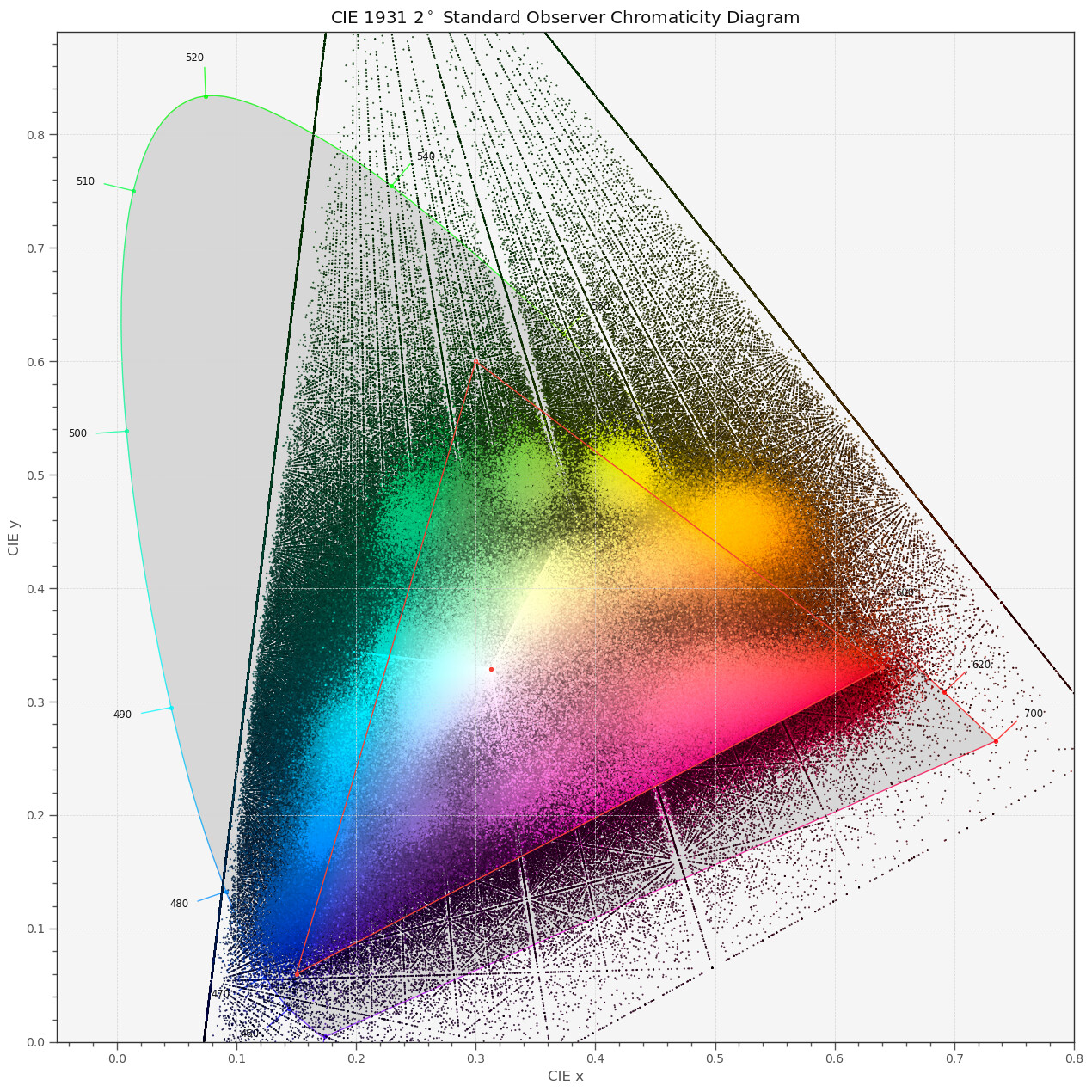
This would be the end result within the libcamera main path as well as the end result with any other raw development software using the camera’s profile (or, in the case of libcamera, the
ccm-data contained in the tuning file).
Now, the idea I proposed above is - if we are interested not in good colors, but in getting all the sensor’s data as an end result - to change the ccm matrices in the tuning file to get a better mapping here. It is possible, but simply much more involved than I initially thought.
If we do not use in the raw development the above Color Matrix 1, but this one:
array([[ 3.24045484, -1.53713885, -0.49853155],
       [-0.96926639,  1.87601093,  0.04155608],
       [ 0.05564342, -0.20402585,  1.05722516]])
we get the following developed image:
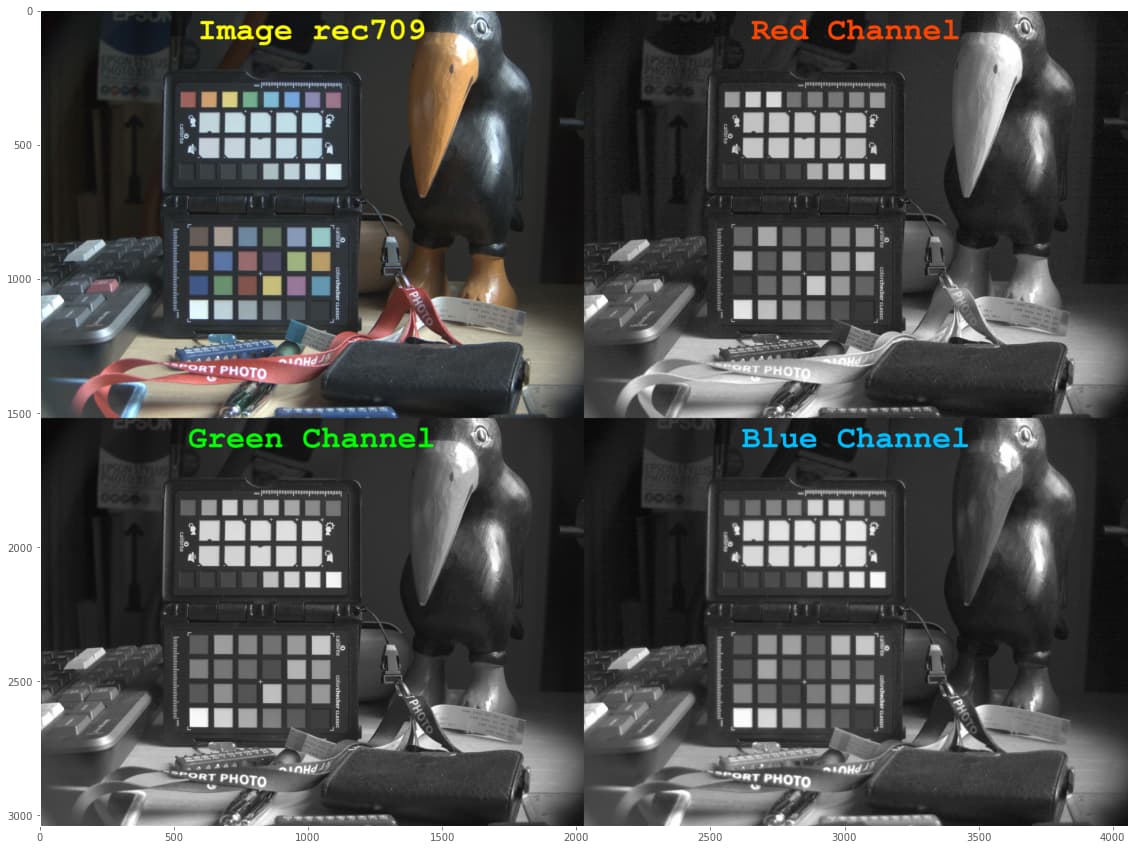
That is, no color values are clipped at all. Indeed, the corresponding mapping turns out to be fully contained within the rec709 color gamut:
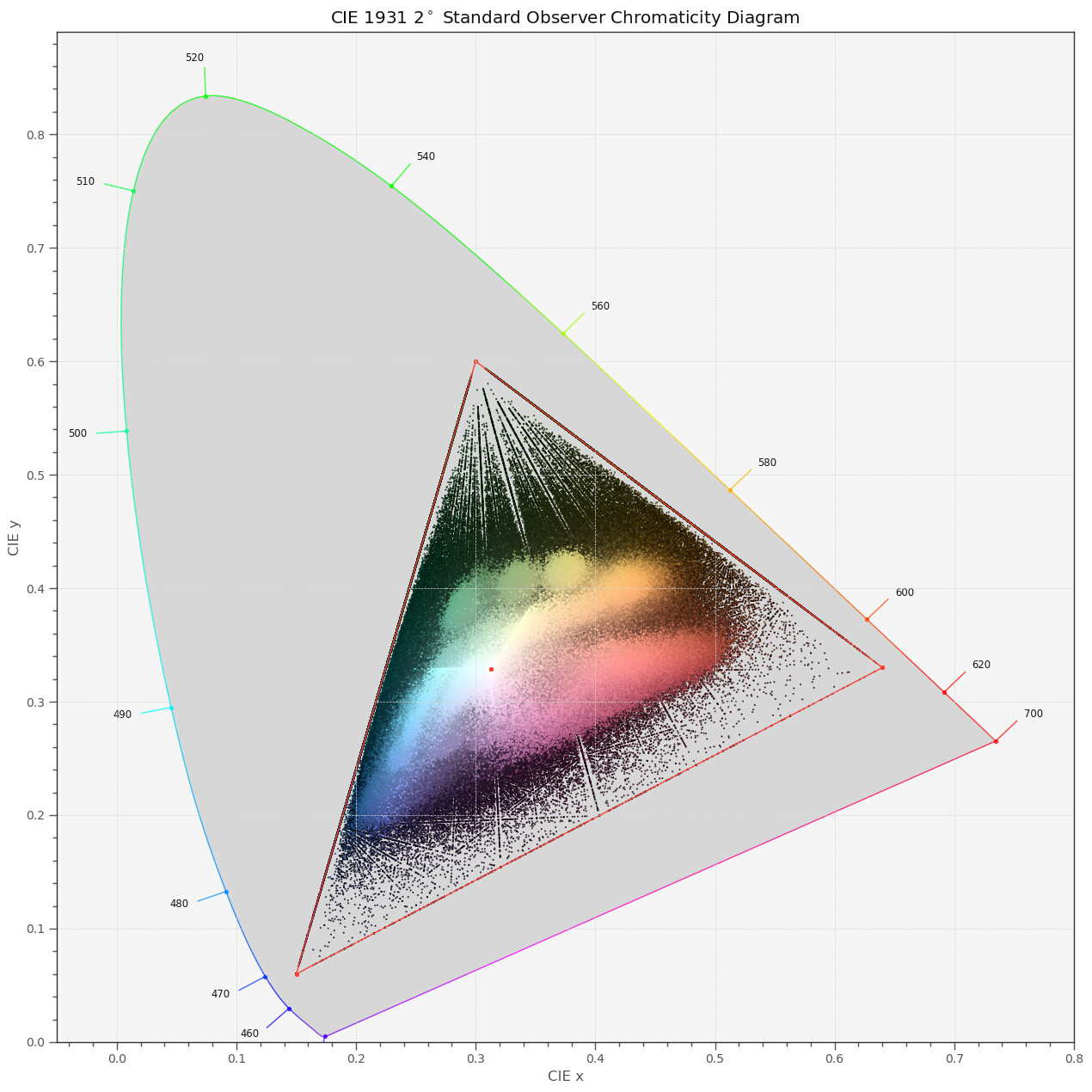
So we have achieved half of our task - the only thing which still needs to be resolved is which values the
ccm-matrices in the tuning file will need to have for libcamera to perform like this.
Note, of course, not a single one of the colors in this squatched image is close to their true color values. But: by using your color grading tools, you could manually push back the colors to the places they should be. Basically, by increasing saturation, by the way.
So the idea of Pablo (@PM490) to have the full range of colors available via libcamera should be realizable - we ‘just’ need to modify the ccm-matrices in the tuning file accordingly. That was the idea proposed above - only that it is slightly more challenging than replacing the existing ccm-matrices with a simple unit-matrix.