Spring Sprint: Image/Color Processing and File Output
It is appropriate to clarify what Tingopix is doing regarding image processing and file output. The project uses the picamera2 library in an unconventional way to achieve a few specific goals:
- Direct back-to-back capture of RAW data and real-time image processing of the bayered RAW for sprocket hole detection and image monitoring/waveform.
- Maintaining and averaging for maximum bit depth from capture to file.
- Finding the best possible quality-to-speed trade-off.
- Running a practical GUI on a Raspberry Pi 4 via VNC.
The following details describe what is now implemented:
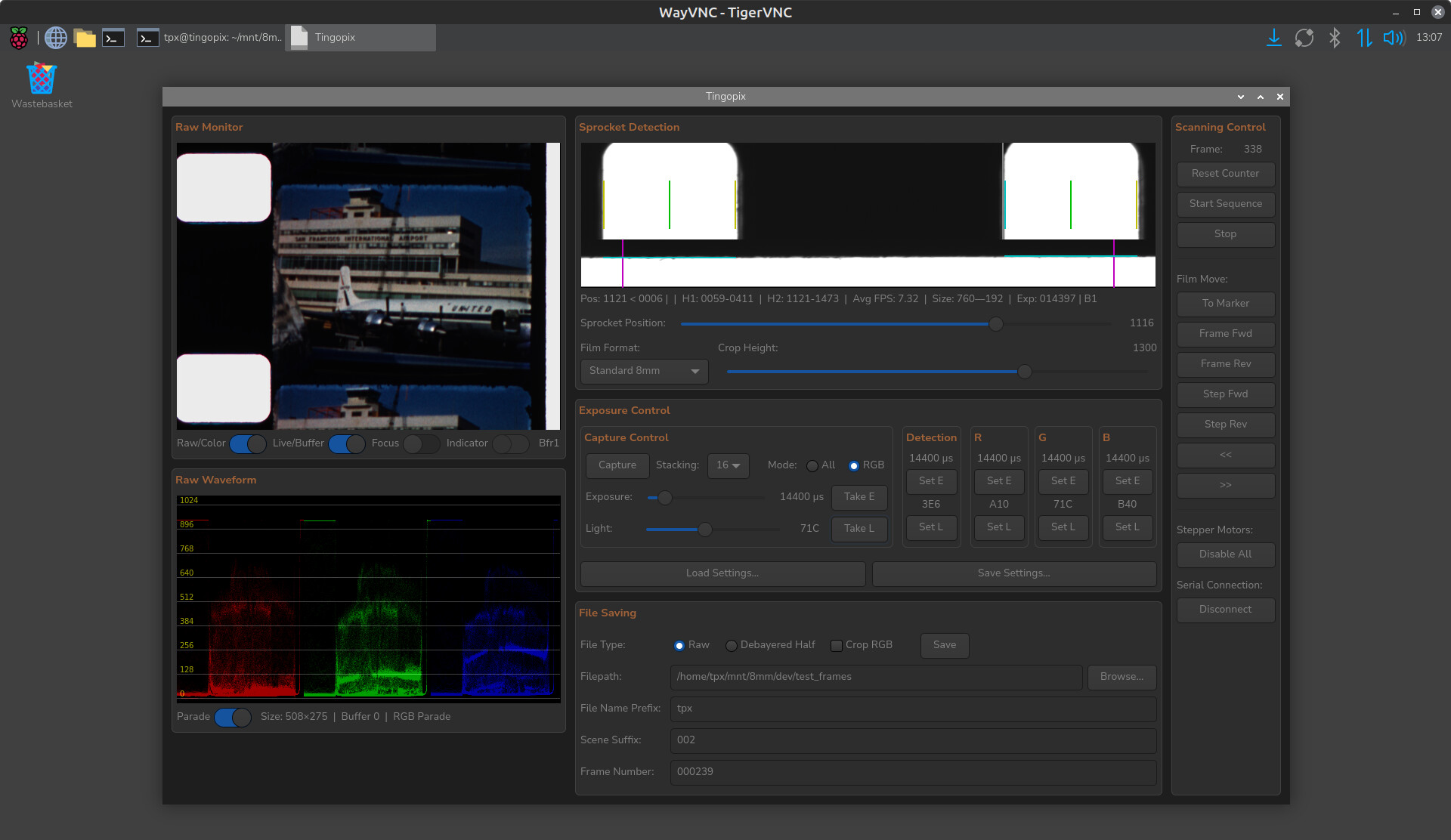
RAW/Color Monitoring Update
The GUI now provides the option to show a RAW or color-processed image and waveform. This is nearly impossible to do with OpenCV (given the RPi 4’s processing power), so here are some of the tricks used to achieve this:
- Only the RAW capture is used (no RGB image from
picamera2). - The presented image is 1/16 of the full resolution.
- Resizing is done by additive averaging, not by scaling. 16 sensel R/B RAW values and 32 sensel G values are summed into one RGB pixel. These are then stored as 8-bit RGB for the GUI monitor/waveform.
- When using RAW mode, the smaller RGB array is presented.
- When using Color mode, Black Level Correction (BLC), Clipping, and a Color Correction Matrix (CCM) are applied before converting to 8-bit RGB. These steps occur before storing the data for the GUI monitor/waveform.
File Outputs
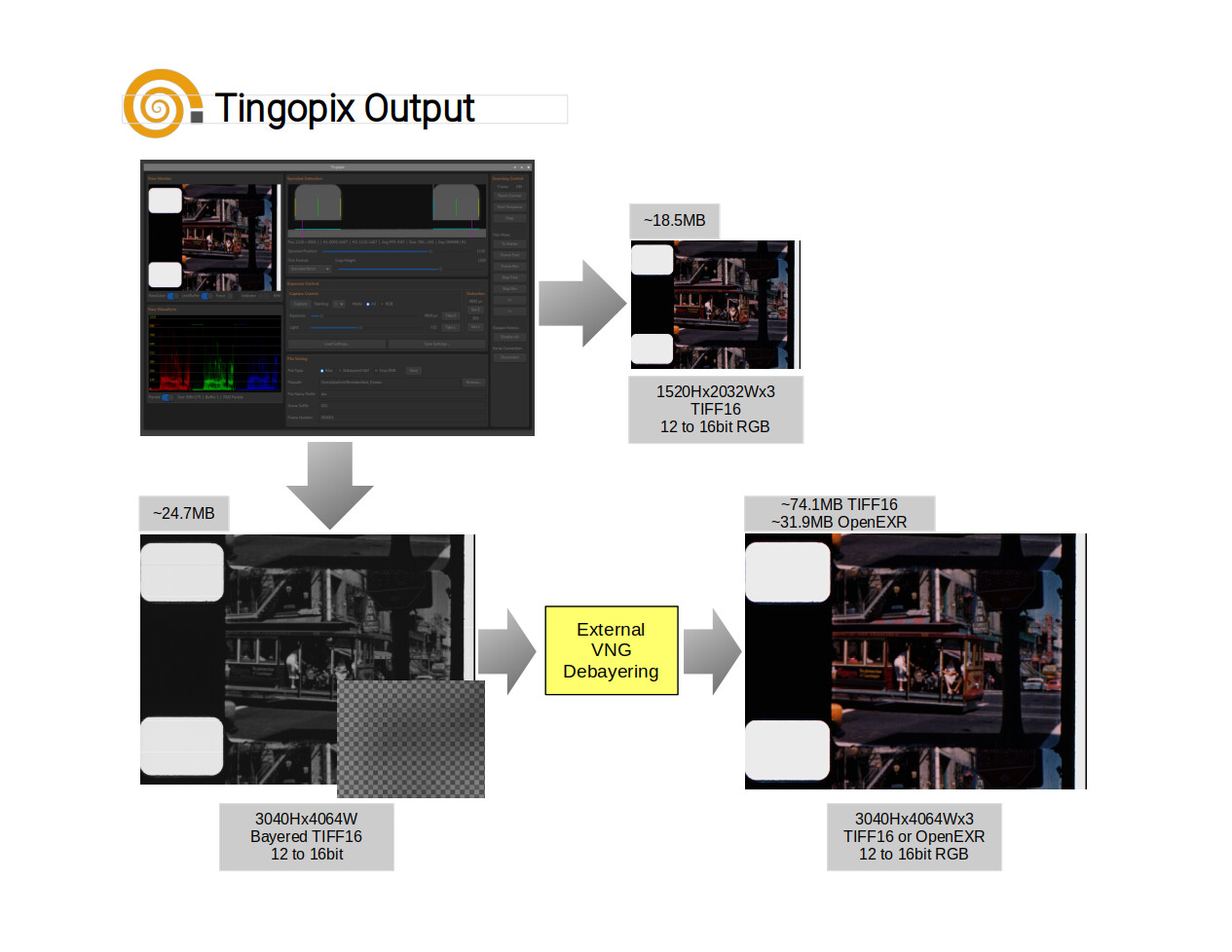
- The sprocket location data is captured at a lower light intensity and is embedded as a few rightmost pixels in the RAW array.
- One can save the Sensel-RAW with sprocket data as a 16-bit TIFF (12–16 bit content in the most significant bits).
- Additionally, there is an option to save a smaller RGB image (half vertical/horizontal), with the option of stabilizing/cropping using the film edge or sprocket hole as a reference. This image is created by combining adjacent RB2G sensels into a pixel (every pixel represents true data from the sensor).
- When full sensor resolution is desired (for example, when capturing 16mm), quality debayering (VNG) would take too long and result in files too large for the RPi to handle. The compromise is to debayer post-scan from the Sensel-RAW mentioned above, which also offers the option to save the result as either uncompressed TIFF16 or lossless OpenEXR (both of which are handled well by DaVinci Resolve).
- All files are saved as Linear. Gamma is selected and applied within the color correction/editing software.
The chart provides a summary:
How fast/slow?
File saving time is roughly the same for full Sensel-RAW or half-resolution Debayered/Stabilized files. Tests were performed by saving to a hard-disk NAS; performance should be slightly faster when saving to a local SSD via USB3.
- A single capture of all channels will produce approximately 25 frames per minute (12-bit depth).
- Capturing each channel separately (different light, same exposure) produces approximately 16 frames per minute (12-bit depth).
- Capturing with multi-exposure decreases the frames-per-minute rate. The current implementation is not optimized; for a same-exposure/different-light set, it provides 6 frames per minute. Changing the exposure for each channel (an option if no light intensity control is available) takes additional time due to the
picamera2library processes. - Post-capture debayering of the Sensel-RAW into an OpenEXR using a vintage 2011 i7 (4 cores) takes about 1.5 seconds per frame (using an SSD).
Retrospective and Future
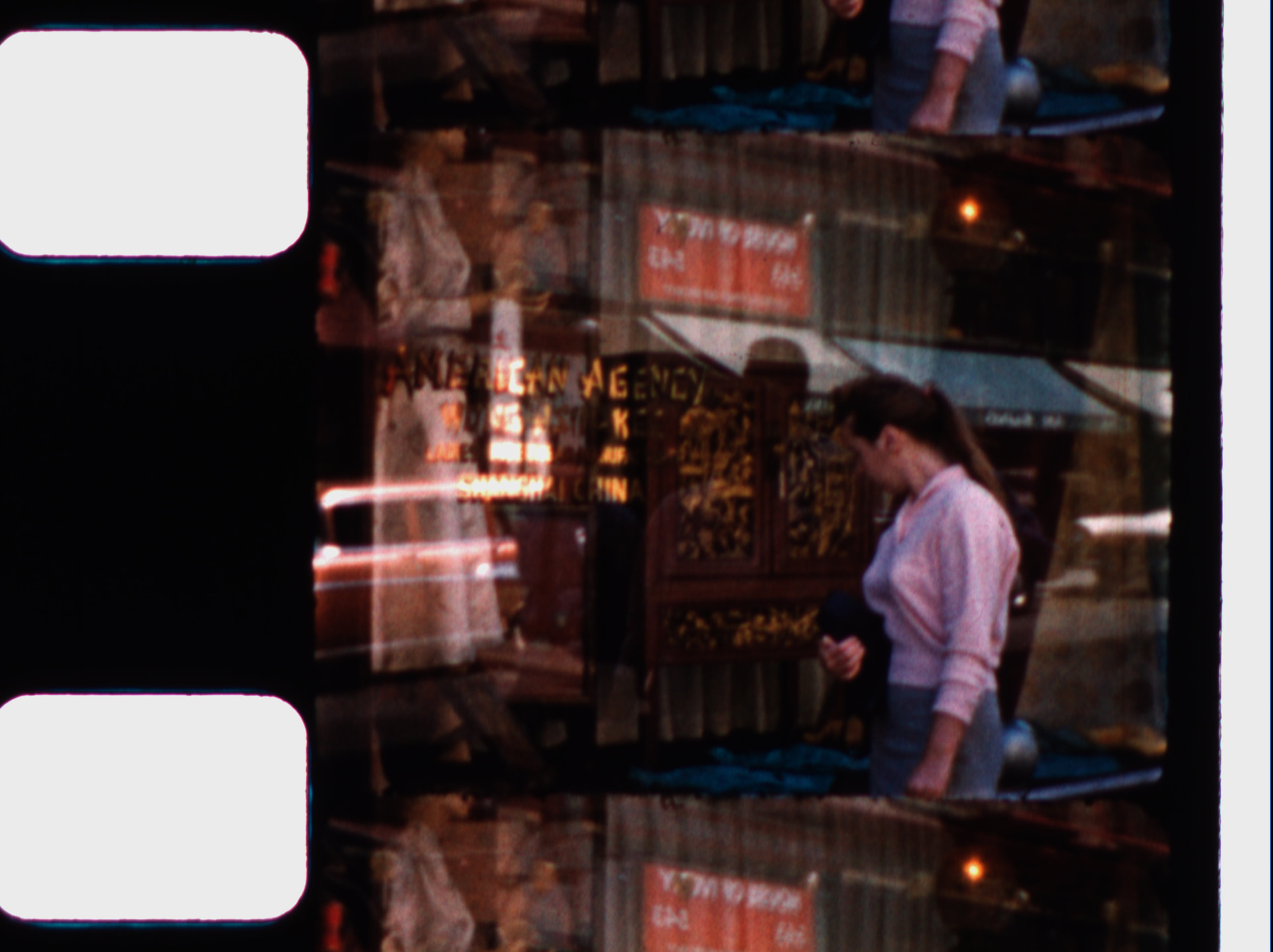
The scanner is now working at quality levels I could only dream of, particularly considering it uses an HQ sensor. The results are in the same quality league as $30K commercial scanners (though certainly not at the same speed  ).
).
There is always more to be done. From here, my goal is to make minor improvements, clean up the code and pending TODOs, and publish more on GitHub. If anyone wishes to explore building one, that would certainly be an incentive for me to focus less on development and more on documentation.
A call to Cine-Doméstico and a Tscann-8 alternative
I am particularly interested in helping individuals or institutions pursuing the digitization of cine-doméstico (home movies).
Also, if you are considering building a Tscann8, Tingopix is a solid alternative with similar costs (by simplifying to a constant-level LED, which the software already handles). It is simpler to build, provides gentler film handling, and handles both 8mm (400ft) and 16mm (small reels only).
Acknowledgment and Gratitude
The work on this project has been enriched by the exchanges in this forum. Thank you all for sharing your efforts for the benefit of the community.
A special colorful acknowledgment and my sincere gratitude go to Rolf @cpixip for his work with the Raspberry HQ sensor, for sharing his insights into the libraries, and for his invaluable work on the scientific tuning file, which was incorporated into picamera2 and is used in the Tingopix color processing pipeline.
Lastly, it is important to recognize @matthewepler for creating and maintaining this forum, which disseminates know-how and spawns projects like All Film Scanner, this one, and many others.